A homepage subtitle here And an awesome description here!
Tampilkan postingan dengan label Aplikasi. Tampilkan semua postingan

Senin, 26 Maret 2012

Cara Mengubah Background Windows Explorer pada Windows 7


          Apakah anda bosan dengan tampilan windows explorer yang hanya berwarna putih dan polos, apakah anda pernah berpikir untuk mengubahnya namun belum menemukannya cara yang tepat ? saya akan memberikan cara yang cukup mudah untuk melakukannya. Ikuti saja langkah-langkahnya dengan baik dan benar.  Berikut langkah-langkahnya:

  • Pertama silahkan download aplikasi Windows 7 Folder Background Changer. cara klik pada menu Download>>Software>>Windows 7 Folder Background Changer.
  • Setelah terdownload silahkan extract file tersebut.  
  • Selanjutnya anda buka file tersebut dengan cara klik kanan pada aplikasinya, kemudian klik Run as Administrator.

  • Setelah itu akan muncul tampilan seperti gambar dibawah ini

      
  • Klik Browse untuk mencari lokasi yang akan diberi gambar, kemudian klik Change Background Image untuk mengubah gambarnya.
  • Setelah anda mengklik Change Background Image , silahkan anda refresh windows explorer anda atau dengan cara menutup dan membuka nya kembali.
  • JIKA BERHASIL, background windows explorer anda akan berubah seperti gambar dibawah ini.


         ~SELAMAT MENCOBA, SEMOGA BERHASIL~ ^_^

Selasa, 07 Februari 2012

Super Mp3 Download Portable


Super MP3 Download yang mudah digunakan aplikasi dibuat untuk membantu Anda mencari dan men-download lebih dari 100 juta file MP3. Anda dapat mencoba hasil yang dicari untuk memutuskan mana yang ingin di download. Super MP3 download selalu membawa Anda lagu terpanas di dunia; itu
merekomendasikan Anda Billboard Hot 100 setiap minggu dan daftar lagu-lagu terpanas 14 kategori, dari listrik ke agama, mainstream untuk indie, hip-hop klasik, dll Selain itu, Anda dapat melakukan pencarian lanjutan dengan artis, judul, album, dan edisi . Anda bahkan dapat memilih edisi khusus hidup, piano, gitar atau penutup dll untuk pencarian. Super MP3 Download - Bersih dari segala bentuk malware (virus, spyware, adware, dll) Dapatkan Super MP3 Download Pro versi untuk menikmati lebih banyak fitur - NO LIMITS di download, advanced search diaktifkan, men-download beberapa lagu pada waktu yang sama dan lebih !

Fitur
• Lebih dari 100 Juta MP3 for Free. Super MP3 Download bebas untuk digunakan. Anda dapat mencari dan men-download lebih dari 100 juta MP3 dari jaringan download terbesar cepat dan GRATIS.
• Bring You The Hottest Songs. Super MP3 download selalu membawa Anda lagu terpanas di dunia. Kami sarankan Anda Billboard Hot 100 setiap minggu dan daftar lagu-lagu terpanas setiap kategori, dari listrik ke agama, mainstream untuk indie, hip-hop klasik.
• Unlimited Listen To Music OnlineSuper MP3 Download. Anda dapat mendengarkan tak terbatas hingga lebih dari 100 juta lagu secara online secara GRATIS. Anda dapat mencoba hasil yang dicari untuk memutuskan mana yang ingin di download.
• Advanced Search (Dengan Pro Edition). Super MP3 download dapat mencari menurut judul lagu, artis, album, dan edisi. Anda bahkan dapat mencari hidup, piano, gitar atau edisi sampul lagu favorit Anda.

Download Disini

Selasa, 24 Januari 2012

Tutorial Virtual Machine with Virtual box in your Windows

i'll write about virtual machine in Windows. Sometimes, there is a particular program that we want to run but is plagued with compatibility Operating System (OS). For example there are applications that we know first run on WinXP but now after a try again in Win7 not be opened (crash). Or even it could also have a special application we need to work, but teryata application can only run on Windows while Linux-based computer.

Of course, we can use the system to plant two Dual Booting OS in one computer. But sometimes this method is less practical because more needs to be prepared such as set partitioning, manage files, etc.. In addition, if one day we already do not need a second OS, then the uninstall process was not easy. All too often ended up reformatting, and that means set the partitions and file again.
Actually, there is one practical solution to this, that is by using VirtualBox. With VirtualBox, you can as if making a new computer ( virtual machine ) and install it with the OS you want (Guest OS). More great again, you can run both at the same time, moving from guest to host and vice versa with ease. If it does not need anymore, you just delete it (remove) the virtual machine without a complex process.

Well, in this article I will explain about how to create a virtual machine using VirtualBox. Because many things to be explained, for convenience, so I split them up into several sections, namely: Download & installl Virtual Box, Virtual Machine http://www.blogger.com/img/blank.gifSetup & Guest OS, and the last is the setting. In this example, I will install WinXP in a virtual machine that will be created. As for his own VirtualBox I run across operating systems Win7. So, the Guest OS and Host OS = WinXP = Win7. Here are the steps:
DOWNLOAD & INSTALL VirtualBox

First download the installer once its in here . Select according to the type of OS you use.


1. After that run its installer file. Click Next> when VirtualBox Setup Wizard appears.

2. Then you can choose the installation location. Click Next> to continue.

3.Choose anywhere you want a shortcut is created, then click Next>

4. Usually will appear warning that the connection to the network is disconnected while on during the installation process. Just click Next>.

5. Click Install to begin the installation process.

6. If UAC appears, click Yes.

7. Up here you've managed to install VirtualBox. Click Finish to run the VirtualBox program

VIRTUAL MACHINE SETUP

Next you need to do is make her a virtual machine. Click New on VirtualBox Manager to get started. You will be greeted by the New Virtual Machine Wizard. Click Next to continue. Here you will choose what type of OS you want to install as guest OS. In this example we will install WinXP. Click Next when done select the type of OS. You can determine how much memory (RAM) for the virtual machine later. Move the slider to the desired number, then click Next.For the first time, make sure you men-centang/contreng Boot Hard Disk and also select Create new hard disk, If so, click Next. Next you will go to the Create New Virtual Disk Wizard. Click Next to continue. You can choose whether the size of virtual hard disk later this magnitude can change or always remain. For savings should you choose a dynamically expanding storage. Click Next if you have selected. Here you can choose the location where the virtual hard disk will be created, it also determines the maximum size hard disk (hard disk maximum size). VirtualBox by default suggested size is 10 G. But you also can set smaller as long as you believe that size is sufficient for your needs later. Click Next. This is a Summary of the Create New Virtual Disk Wizard. Click Finish. It appears that you already have a virtual machine called WinXP, although it is still empty. Now the next task is to fill this virtual machine with the Guest OS. Double-click on the entry to start WinXP.
You will be greeted by First Run Wizard. Just click Next.Here you will select the media you will use as a source installation. In this example I use WinXP CD (bootable of course), which I enter into Drive E (DVD ROM). If so, click Next. This is a Summary of the First Run Wizard. It's good here you have prepared her to drive installer that you selected earlier. Click Finish to begin the installation process. Display WinXP installation will start out. Press Enter to continue. Select Format the partition using the NTFS file system, then press Enter. Please wait until the WinXP installation process is complete.
Congratulations, you now have a WinXP Guest OS on your virtual machine! Before you start "playing around" with this new virtual machine it's good to do some changes to the settings used to make you more comfortable in using it later. Some settings require the virtual machine in a non-active, some can only be done in the Guest OS Safe Mode. Thus, to present first shutdown the Guest OS you.

SETTING UP PROCCESS

This time will discuss about some important settings of your order the more comfortable in using your virtual machine. Make sure your virtual machine is turned off (powered off), then double-click to turn on and be prepared to press F8 as we will go into Safe Mode.

Choose Safe Mode, then Enter twice.
After entering Safe Mode, click Yes to close the window notification.
In the VirtualBox menu, select Devices -> Install Guest Additions.
It would appear the Windows Explorer . Double-click VBoxWindowsAdditions.
You will be greeted by the VirtualBox Guest Additions Setup Wizard. Click Next> to continue.
Select the installation location and click Next>.
If you plan to run an application in the Guest OS that require Direct3D (games for example), then make sure the Direct3D Support selected. If you already click Install.
Guest Additions installation process was completed. Click OK.
Click Finish to restart and get into WinXP as normal.
Next we'll create a Shared Folders. Usefulness is as a place to exchange (transfer) files between Guest and Host. The trick is to select Devices -> Shared Folders.
Click the Add button on the right side of the window.
In the Folder Path, select Other.
Specify the folder where you want shared.
Then select Auto-mount that folder directly at-shared automatically at startup.
Rekapnya be seen here. You also can create more than one Shared Folders if you wish. Click OK to finish.
Shared Folders will only begin to be used if you have to restart. But for now the Guest OS shutdown before you because we will make changes in the last settings via VirtualBox Manager.
Click Settings on the menu VirtualBox Manager.
Select the System tab on the left. Well here you can make settings memory (RAM) and also the Boot Order. In order for fast booting, select Hard Disk as the Boot Order first priority.
Select the Display tab and you can change the amount of Video Memory (VGA Card) and also activate the Enable 3D Acceleration feature. Click OK if it is.
Next run the virtual machine again. After entering Windows, try running Explorer. It appears that the Shared Folders now can be accessed.
Applications that can not be opened in Win7 are now able to run.

an explanation of the technical steps to create a virtual machine and its installation with the Guest OS using VirtualBox. In this way, we seemed to have a "new computer" is ready to run. In the world of IT, many benefits to be gained by using this VirtualBox. A Java programmer who want to create a multi-platform applications, can use VirtualBox to test programs in various OS (Windows, Mac, Linux, FreeBSD, etc.).

Or someone who is studying to be a hacker, usually also will create a virtual machine to test the efficacy of scripts or artificial virus, without having to worry about major OS that is being used also infected. You can also experiment with VirtualBox it suits your needs

Accelerate Internet Connection with Internet Speed Booster


Internet Speed ​​Booster is an easy way to speed up your internet connection. With Internet Speed ​​Booster you can speed up your internet connection, utilize your memory, utilize your internet connection and change your windows settings. The main window consists of the following items: Speed ​​Booster, Net Pinger, Ram Booster and System Settings. Speed ​​Booster contais Wizard mode, Advanced mode, and Backup manager. Net Pinger contains settings Pingr. Ram Booster consists of Ram System status and configuration. System Settings contains Internet properties, System Settings, Modem Settings and Network Settings. To speed up your connection just choose one of the default connection settings and click the Optimize Now. In Backup manager every time you change your program settings will keep your old settings. You can select the backup file you want to restore or delete. PING utility helps you keep getting your modem connection is disconnected by the service provider. Most Internet Service Providers Disconnect users after a fixed period of modem activity. Ram Booster System Status option allows you to monitor your system resources. And you can optimize memory with one click. You can adjust the ram booster settings from Ram Configuration form Ram Booster. All the tools you need to be efficient on the Web! Improve and optimize your Internet connection speed with this set of tools. Net Pinger prevents you from being disconnected from your ISP. Speed ​​Booster how to optimize your PC to send and receive data over the Internet. RAM Booster allows you to free physical memory or RAM on your PC
To complete the writing of tricks internet connection, here I inform a program that can optimize your internet connection speed be it with a usb modem phone modem, or modem and other connections. This software is the Internet Speed ​​Booster, a free program developed by Onestopsoft. Internet Speed ​​Booster offers some functionality in it, namely the Speed ​​Booster, Net Pinger, Ram Booster and.

Speed ​​Booster.
Speed ​​Booster optimizes your Windows system function in terms of data transfer (upload and download). Optimization here is almost the same with some software that had previously informed me (TCPSpeed, TCP / IP Optimizer, FullSpeed, SpeedConnect, and some other software).
To optimize the speed of internet connections with Speed ​​Booster can be in two ways: the Wizard mode and Normal mode. In Wizard mode is already available optimalisasinya choice, we just select one and execute the Optimize Now button.
A second way to Normal mode, for this way, we will do the setup in a few steps (a total of 8 steps), start by selecting a type of Internet connection that we use. If we are confused fill it, do not worry, because this software will give you the option with the default answer, so stay just follow the process (unless we want to change it).

Net Pinger
Function Net Pinger is anticipating that the connection is lost (usually if you open a web page, and do not perform any activity within a certain time then the connection we would stop / cut off), Net Pinger is almost the same function as the Connection Keeper.
To enable Net Pinger, simply by checking the Enable Pinger, while for the choice of configuration (Configuration), we can choose the Automatic Mode (every one minute to ping), or Manual Mode (you set yourself how long the time interval to ping)

Ram Boosterhttp://www.blogger.com/img/blank.gif
From the name Ram Booster've seen that here serves to optimize memory usage in our PC. In the menu there are 2 Ram Booster menu options, namely the System status that indicates the use of our computer processor and memory in the form of real-time graph and the Ram Config governing the use (optimize) the existing resources automatically.

Internet Speed ​​Booster can be run automatically when you enter Windows and run it in the System tray (bottom right corner of the monitor), by selecting Settings. Mark Run Main Courses Pls Windows start-up and Run program in system tray.

download here

Download HTV Online Versi 2.9 Pretesting

HTV Online kembali mengeluarkan versi terbarunya. Sampai postingan ini saya buat HTV Online versi terbaru yakni HTV Online v2.9. Pada postingan sebelumnya saya juga pernah mengulas mengenai software TV online plus CCTV ini  buatan anak bangsa ini. Bisa anda cek di sini. Nah, pada versi terbaru ini, update yang dilakukan menurut keterangan sang developer agan HeryArts, siaran makin lengkap, ada fitur fanspage HTV nya. Beberapa siaran yang aktiv antara lain Indonesia TV, mancanegara yang terdiri dari Movies, Asia, Soccer, Sport.

HTV Online Versi 2.9

htv online v2.9 600x349 Download HTV Online Versi 2.9 Pretesting
htv online v2.9

Fitur HTV Online v2.9

  1. Perubahan total pada menu
  2. Tidak ada lagi auto replace seperti versi sebelumnya
  3. List TV mancanegara lebih rapi dengan pengelompokan kategori
  4. Otomatis update
Untuk koneksi internet, kecepatan akses yang dibutuhkan agar tontonal streaming tetap lancar
  • TV streaming : Paket internet 384 Kbps stabil (90% sukses)
  • Radio Streaming : Paket internet 128 Kbps (100% sukses)
  • Cinema HTV : Paket internet 512 Kbps stabil (90% sukses)
Oke, langsung saja jika kalian ingin mendownload, ke link dibawah ini:
Link Download – mediafire (14,80 Mb)
Jangan lupa ucapkan Thanks to HeryArt agar lebih semangat lagi mengembangkan aplikasi TV streaming HTV online ini. Selamat mendownload HTV Online v2.9 semoga berguna!

Pasang Jam Analog di Desktop Dengan Aplikasi Clocx

Pasang Jam Analog di Desktop Dengan Aplikasi Clocx. Bagi yang menggunakan Windows 7, mungkin sudah tidak asing dengan salah satu fiturnya yaitu berupa gadget-gadget. Salah satunya adalah gadget jam analog. Dengan gadget tersebut, kita dapat memasang atau memunculkan jam analog pada desktop. Selain sebagai accessories tentunya juga berfungsi sebagai penunjuk waktu. Fitur tersebut belum dapat dinikmati bagi pengguna Windows XP.
Namun demikian bagi pengguna Windows XP tidak perlu merasa “iri” karena dengan aplikasi CLOCX, kita pun dapat menampilkan jam analog di desktop yang tidak kalah menariknya dengan fitur yang ada pada Windows 7. Aplikasi tersebut merupakan freeware (aplikasi gratis) yang dapat kita peroleh (download) di internet secara gratis. Aplikasi freeware tersebut berukuran 941 Kb (standar) yang versi Full (9.4 Mb).
Untuk menggunakannya tentunya kita harus mendownloadnya terlebih dahulu. Untuk mendownloadnya, kita dapat memperolehnya DI SINI.
Setelah berhasil mendownloadnya, silakan untuk menginstallnya pada komputer kita. Jika sukses, kita akan dapat melihat jam analog tersebut di sebelah kiri atas pada desktop komputer kita. Namun demikian kita dapat meletakkan jam tersebut pada sisi yang lain sesuka kita.
Setelah kita mendapatkan tempat yang pas pada di desktop, kemudian kita dapat membuat jam analog tersebut “terkunci” sehingga dapat dapat berpindah dari tempat tersebut. Untuk melakukan pengaturan tersebut dilakukan dengan cara mengklik kanan pada jam tersebut kemudian pilih “Unmoved”.
Untuk melakukan pengaturan-pengaturan, klik kanan pada jam tersebut kemudian pilih “Options” sehingga akan muncul jendela “Options”, seperti gambar di bawah ini.
Pada tab “general”, kita dapat melakukan pengaturan-pengaturan, antar lain : transparansi, bahasa, transparansi mouse yang melewati, dan lain-lain.
Agar jam analog tersebut muncul setiap kali kita menghidupkan komputer, centangi pada “Start with Windows” di bawah opsi Startup.
Masih di jendela “Options” pada tab “Appearance”, kita dapat mengubah background jam tersebut dengan berbagai pilihan yang dapat kita pilih sesuka kita. Pada tab ini juga, kita dapat memperbesar maupun memperkecil ukuran jam tersebut, yaitu pada opsi “Zoom”. Untuk memperbesar ukuran, geser slider ke kanan dan sebaliknya untuk memperkecil ukuran jam, geser slider ke kiri. Namun untuk mendapatkan efeknya jangan lupa untuk mencentangi “enabled” yang ada di bawah slider.
Untuk jelasnya, silakan dicoba-coba sendiri.
Keterangan

Selasa, 17 Januari 2012

Mengedit dan Membuat Video Dengan VideoPad Video Editor

Mengedit File Audio Dengan WavePad Sound Editor. Suatu ketika saya menginginkan nada dering hand phone saya berupa lagu-lagu favorit saya, yaitu lagu-lagu campur sari (lagu Jawa). Masalahnya lagu-lagu favorit tersebut kebanyakan berupa file video. Nah, agar lagu-lagu tersebut dapat saya jadikan sebagai nada dering, saya harus men-convert-nya menjadi file audio khususnya mp3. Untuk itu, saya harus mempunyai aplikasi untuk tujuan tersebut.
Kemudian saya mencoba melakukan googling di internet dan dari sekian banyak aplikasi gratis yang ada, saya memilih WavePad Sound Editor. Dengan aplikasi ini, saya dapat mengubah file video lagu-lagu favorit saya menjadi file audio yang dapat saya gunakan sebagai nada dering pada hand phone saya.
Kelebihan dari freeware ini adalah :
  • · Dapat mengubah semua jenis file audio dan juga file video, seperti *.mpeg,*. mpg,*. dat,*. avi,*. wmv, *.asf, dan lain-lain.
  • · Dapat menyimpan ke berbagai format audio, seperti *.mp3, *.aac, *.amr, *. wav,*. raw,*. rss,*. aiff,*. aif, *.au,*. flac,*. mpc,*. ape, dan lain-lain.
  • · Telah terintegrasi fitur Burning ke CD.
  • · Adanya fitur untuk menambahkan berbagai effect ke dalam audio tersebut, seperti echo, fade in, fade out, amplify, speed change, equalizer, dll.
  • · Juga adanya fitur men-cut (memotong) bagian tertentu pada suatu lagu yang kita edit.
  • · Mampu menyisipkan suara diam (silence) pada bagian lagu yang kita edit.
  • · Kita menyisipkan file lagu lain ke dalam lagu yang sedang kita edit.
  • · Kita juga dapat merekam suara kita kemudian kita sisipkan ke dalam lagu yang kita edit tersebut.
  • · Dan berbagai fitur lainnya yang dapat kita coba-coba sendiri.

Jika tertarik, silakan untuk melakukan download DI SINI.

Sabtu, 31 Desember 2011

Aplikasi Google Hack

img

Google hack adalah aplikasi yang sangat mudah digunakan untuk membantu anda melakukan pencarian di Google.

Dengan hacks google Anda tidak harus pergi ke situs web google untuk mencari file atau sesuatu karena semua permintaan pencarian google sudah tersedia. Tinggal ketikkan apa yang ingin anda cari lalu klik. Maka secara otomatis software ini akan melakukan.

Google Hacks dapat melakukan pencarian untuk video, musik, dokumen menggunakan perintah pencarian yang sangat optimal dan kompleks yang dapat diperoleh hanya dengan mengklik beberapa kotak opsi yang dapat ditemukan dalam antarmuka program.

Software ini melakukan pencarian yang sangat tepat dan hasilnya sangat sederhana dan langsung terlihat.

Untuk mendapatkannya silahkan download : http://www.mediafire.com/?z4r9gf80s96os20
3Share

Cara Mengunci keyboard & mouse dengan password

Untuk temen-temen yang suka menggunakan lapotop/komputer di lingkungan yang ada anak-anak kecilnya biasanya tidak jarang komputer/laptop yang kita gunakan suka kita tinggal sebentar, nah kadang komputer yang sedang kita tinggal itu suka di pencet-pencet oleh anak-anak, tidak jarang tugas yang sedang kita kerjakan jadi ngaco akibat ulah anak-anak yang mengira komputer/laptop yang kita gunakan sebagai mainan :(

Nah, untuk mengunci keyboard dan mouse komputer kita agar tidak di utak-atik maka kita perlu suatu software yang dapat melakukan itu semua, nama software tersebut adalah Kid-Key-Lock, dengan sofware ini kita dapat melakukan penguncian beberapa fungsi mouse dan keyboard. Software ini juga gratis untuk di gunakan :lol: :lol:


Quote
CARA PENGGUNAAN KID-KEY-LOCK :

1. Download software nya terlebih dahulu : Masuk kesini gan klo mau sedot
2. Instal seperti biasa (klik 2x)

3. Setelah terinstal maka silahkan buka software nya, dan mulai melakukan setting terhadap pembatasan fungsi mouse dan keyboard.

4. ada 2 password yang akan kita gunakan pada software ini, yang pertama adalah : PASSWORD TO SHOW SETUP, digunakan untuk menampilkan menu untuk melakukan setting seperti pada langkah nomor 3, dan selanjutnya adalah PASSWORD TO QUIT KID-KEY-LOCK, digunakan untuk keluar dari penggunaan aplikasi ini.

5. dibagian bawah ada tulisan “show baloon window with password reminder”, jika di ceklist maka pada icon kanan bawah komputer kita akan menampilkan password yang kita gunakan, namun kalo tidak kita ceklist maka ketika icon di sorot maka tidak akan muncul password yang kita gunakan, namun yang perlu di perhatikan disini adalah kita jangan sampai lupa memasukkan password kita.

6. Nah, kalau sudah selesai melakukan setting sekarang kita tinggal tekan OK, dan jika ingin menampilkan menu setting tinggal ketik password yang tadi kita masukkan di bagian PASSWORD TO SHOW SETUP. langsung ketik saja!

Software SMS Gratis Untuk PC

Sms Gratis Untuk PC


Bagi sobat-sobat yang gemar ber-sms-an ria baik itu dirumah, dikantor, dikampus, pokoknya tiada hari tanpa sms-an.
Sobat bisa menggunakan software sms gratis untuk pc. "SMS GRATIS V4", dari namanya saja kita sudah tahu bahwa kegunaannya untuk mengirimkan sms secara gratis melalui pc. Software ini portable dan tak perlu diinstal karena dapat dijalankan langsung dari pc sobat.

Quote
Posted Image


Download Software

http://www.4shared.com/file/HCz-nRcU/Sms_Gratis_v4.html

NetScream buat mempercepat koneksi modem

Kegunaan :
NetScream adalah program yang dapat membantu mengoptimalkan koneksi modem Anda. Koneksi internet Anda dapat dioptimalkan sampai 200% atau lebih. NetScream juga membantu koneksi dial-up Anda lebih stabil dan tidak mudah terputus. Dengan demikian, Anda dapat mengunduh atau berselancar di internet tanpa gangguan.
NetScream bekerja pada berbagai koneksi seperti: dial-up 14.4/28.8/33.6/56 kb, kabel dan dsl modem. Tidak perlu ada instalasi atau modifikasi perangkat keras Anda. NetScream akan mengoptimalkan semua setting yang rumit bagi Anda secara instan.

NetScream bekerja dengan memperbaiki setting registri dan berbagai file konfigurasi. NetScream juga mengalokasikan sebagian kecil memori komputer ke prosesor untuk memproses data yang keluar masuk modem Anda dengan lebih cepat. NetScream telah dicoba dan dites di berbagai mesin dan telah terbukti bekerja lebih dari 80% sepanjang waktu.

SCREENSHOOT :

Before ►►►
After ►►►
Modifikasi pada sistem :
NetScream Modifications :

* Modem MTU Transmission rates
* Memory allocation to modem
* Modification to network bandwidth allowance
* Increasing HTTP request limit
* DNS lookup optimization
* Modification to TTL setting
* Optimization of TCP/IP standard settings
* Modification to socket layer connections
* and much more..

System Requirements :

* Microsoft Windows 2000, 2003, 95, 98, Me, NT 4, Vista, XP, windows 7
* Microsoft Internet Explorer 4 or higher
* Intel Pentium 90 MHz or higher
* 8 Mb RAM (32 Mb recommended)
* 5 Mb hard disk space
* VGA or higher resolution monitor
* Mouse or other pointing device

**Note Internet Explorer is not required to be the default browser.

Download
4Shared (NETSCREAM Versi 2011 FULL + SN)
Swiftdog (Situs aslinya)

NB : jangan pernah sekali2 membuka Netscream.exe saat ada koneksi internet.. itu akan mendeteksi adanya ilegal licensi... dan secara otomatis NetScream anda akan di jadikan versi trial.. dan cara mengembalikannya kaya td yg sudah saya jelaskan di atas.

NB Lagi : Klo agan mw manjadikan NetScream menjadi versi 2011.. download dlu softwarenya dari situs aslinya (di atas tuh). terus Install kembali.. dan secara otomatis NetSCream akan terUpdate..


Cara setting NetScream:


- Untuk semua Modem USB ( Smart, Telkomsel Flash, AHA, dll... ( pokoknya modem yg pake USB )) : Bisa Memilih Wireless Conection ( Mobile Phone ), DSL/ADSL.

- Untuk yg make Modem Kabel : Bisa milih DSL/ADSL/Cable Modem/LAN
Cara Install yg ane Sarankan ►
* Download Filenya di 4shared :
* Extract filenya
* Install file "Netscream.exe"
* Setelah terinstall launch NetScream
* Matikan Koneksi Internet terlebih dahulu sebelum memasukkan Serial Number
* Buka buka file "Leame Importante(SN).txt" (disana terdapat serial number dari specialwin)
* Nah sekarang saatnya memasukkan Serial Number.. Cari tulisan "Click to enter Serial Number" d kotak dialog NetScream..
* Masukan serial number yg berada di notepad
* udah deh beres.. NetScream anda udah berlisensi.
Serial Number

TOP 10 Antivirus 2011 (Download Links)

Pemasangan Antivirus sudah menjadi kewajiban bagi para pengguna mesin Komputer, Khususnya pengguna Windows karena rentan sekali diserang Virus. Namun kita selama ini terkadang salah dalam memilih Antivirus, Jaman sekarang banyak sekali antivirus palsu yang menjanjikan akan melindungi Komputer anda dan ternyata buktinya si ASU ( singkatan  Antivirus Palsu ) bukannya melindungi malah membuat Virus-virus jahat agar menyerang computer dan mencuri Informasi computer yang ujung-ujungnya DEATH tuh PC anda.
Baca Selanjutnya mengenai Antivirus Palsu KLIK DISINI

Anda harus pintar dalam memilih SOFTWARE antivirus, dan saya akan mengulas lebih dalam mengenai TOP 10 Antivirus 2011


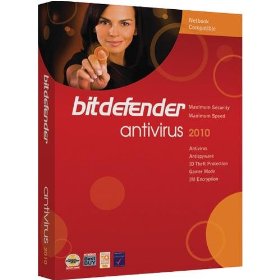
1.Bitdefender Antivirus
•Threat Detection: Virus, Worm, Trojan, Spyware, Malware, Rootkit.
•Additional Protection: Browser exploit, OS exploit, Keyloggers, inbound email protection, outbond email protection, instant messaging protection, p2p/file sharing, registry startup protection, dialers, backdoors, hackers, phising, identity theft protection, adware, activex, vulnerabilities, cookies, scripts, full web protection, auto usb detect.
•Protection Technology: Virus signatures, whitelisting, heuristic, real time.
•Supported OS: XP (32 & 64 bit), Vista (32 & 64 bit), Windows 7 (32 & 64 bit)
•Price: $ 29.95

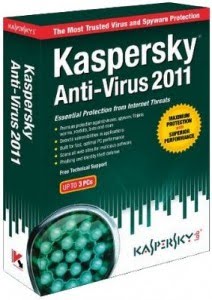
2.Kaspersky Antivirus
•Threat Detection: Virus, Worm, Trojan, Spyware, Malware, Rootkit.
•Additional Protection: Browser exploit, OS exploit, Keyloggers, inbound email protection, outbond email protection, instant messaging protection, p2p/file sharing, registry startup protection, dialers, backdoors, hackers, phising, identity theft protection, adware, activex, vulnerabilities, cookies, scripts, full web protection, auto usb detect.
•Protection Technology: Virus signatures, blacklisting, whitelisting, heuristic, real time, security network.
•Price: $ 59.95
3.Webroot Antivirus
•Threat Detection: Virus, Worm, Trojan, Spyware, Malware, Rootkit.
•Additional Protection: Browser exploit, OS exploit, Keyloggers, inbound email protection, outbond email protection, instant messaging protection, p2p/file sharing, registry startup protection, dialers, hackers, identity theft protection, adware, activex, cookies, scripts, spam.
•Protection Technology: Virus signatures, blacklisting, whitelisting, heuristic, real time, security network.
•Supported OS: XP (32 bit), Vista (32 & 64 bit), Windows 7 (32 & 64 bit)
•Price: $ 29.95
4.Norton Antivirus
•Threat Detection: Virus, Worm, Trojan, Spyware, Malware, Rootkit.
•Additional Protection: Browser exploit, OS exploit, inbound email protection, outbond email protection, instant messaging protection, registry startup protection, dialers, backdoors, hackers, identity theft protection, adware, activex, vulnerabilities, scripts, full web protection, auto usb detect.
•Protection Technology: Virus signatures, blacklisting, whitelisting, heuristic, real time, security network.
•Supported OS: XP (32 bit), Vista (32 & 64 bit), Windows 7 (32 & 64 bit)
•Price: $ 39.99
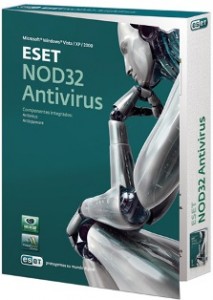
5.ESET Nod32 Antivirus
•Threat Detection: Virus, Worm, Trojan, Spyware, Malware, Rootkit.
•Additional Protection: Keyloggers, inbound email protection, outbond email protection, registry startup protection, dialers, backdoors, adware, activex, vulnerabilities, scripts, full web protection, auto usb detect.
•Protection Technology: Virus signatures, blacklisting, whitelisting, heuristic, real time, security network.
•Supported OS: XP (32 & 64 bit), Vista (32 & 64 bit), Windows 7 (32 & 64 bit)
•Price: $ 39.99
6.AVG Antivirus
•Threat Detection: Virus, Worm, Trojan, Spyware, Malware, Rootkit.
•Additional Protection: Browser exploit, OS exploit, Keyloggers, inbound email protection, outbond email protection, instant messaging protection, p2p/ file sharing protection, registry startup protection, dialers, backdoors, hackers, phising, identity theft protection, adware, activex, vulnerabilities, cookies, scripts, full web protection, spam, auto usb detect.
•Protection Technology: Virus signatures, blacklisting, whitelisting, heuristic, real time, security network.
•Supported OS: XP (32 & 64 bit), Vista (32 & 64 bit), Windows 7 (32 & 64 bit)
•Price: $ 34.99
7.G Data Antivirus
•Threat Detection: Virus, Worm, Trojan, Spyware, Malware, Rootkit.
•Additional Protection: Browser exploit, OS exploit, inbound email protection, outbond email protection, instant messaging protection, registry startup protection, dialers, backdoors, hackers, phising, identity theft protection, adware, scripts, full web protection,.
•Protection Technology: Virus signatures, blacklisting, whitelisting, heuristic, security network.
•Supported OS: XP (32 & 64 bit), Vista (32 & 64 bit), Windows 7 (32 & 64 bit)
•Price: $ 29.95
8.Avira Antivir
•Threat Detection: Virus, Worm, Trojan, Spyware, Malware, Rootkit.
•Additional Protection: Browser exploit, OS exploit, inbound email protection, outbond email protection, registry startup protection, dialers, backdoors, phising, adware, activex, scripts, full web protection.
•Protection Technology: Virus signatures, heuristic, real time, security network.
•Supported OS: XP (32 & 64 bit), Vista (32 & 64 bit), Windows 7 (32 & 64 bit)
•Price: $ 26.95
9.Vipre Antivirus
•Threat Detection: Virus, Worm, Trojan, Spyware, Malware, Rootkit.
•Additional Protection: Browser exploit, OS exploit, Keyloggers, inbound email protection, outbond email protection, instant messaging protectionp2p/file sharing, registry startup protection, dialers, backdoors, hackers, phising, adware, activex, vulnerabilities, cookies, scripts, auto usb detect.
•Protection Technology: Virus signatures, blacklisting, whitelisting, heuristic, real time, security network.
•Supported OS: XP (32 & 64 bit), Vista (32 & 64 bit), Windows 7 (32 & 64 bit)
•Price: $ 29.95
10.Trend Micro Titanium Antivirus
•Threat Detection: Virus, Worm, Trojan, Spyware, Malware, Rootkit.
•Additional Protection: OS exploit, Keyloggers, inbound email protection, outbond email protection, instant messaging protection, registry startup protection, dialers, hackers, identity theft protection, adware, activex, vulnerabilities, cookies, scripts, auto usb detect.
•Protection Technology: Virus signatures, blacklisting, whitelisting, real time, security network.
•Supported OS: XP (32 bit), Vista (32 & 64 bit), Windows 7 (32 & 64 bit)
•Price: $ 39.95

Itulah Antivirus-Antivirus terbaik sepanjang tahun 2011 yang telah melindungi Ratusan Juta Mesin Komputer.
Harga yang tercantum diatas memang pantas kita dapatkan karena Hasil nanti ketika kita rasakan sangat Luar Biasa, anda tidak perlu kecewa untuk membelinya, karena sekarang banyak Software Crack dan anda juga dapat menggunakan dulu secara Trial 30 Hari.
Sekian dulu ya ! Jangan Lupa Follow dan Komentarnya di BLOG kami dan juga Like Facebook FP kami.
Terimakasih

Senin, 12 Desember 2011

Kumpulan Aplikasi S60v3(part 4)

1. Image converter v.3.0 s60v3
sebenernya aplikasi tidak begitu penting, karena dengan xplore saja kita sudah bisa mengkonvert gambar. Tinggal di rename saja extensinya.
Berhubung ada yg minta juga, ya apa boleh buat..?

image

format yang di dukung meliputi GIF, PNG, MBM, JPEG, BMP.
Download file

2. Image Compression v.1.1 s60v3
Aplikasi ini mungkin sedikit penting bagi kalian, yang suka upload foto di facebook biar file gambarnya tidak kebesaran bisa di compress dengan aplikasi ini.

image
Download file

3. NulDel v.3.3 beta + Xclear v.1.9
Masih ingatkan tentang postingan G-force?? Aplikasi yang berguna untuk menghapus file sampah.
Nah.. Kedua aplikasi ini fungsinya sama, aku merasa ke dua aplikasi ini lebih mantap di banding G-force. Karena direktori file yang dihapus akan tertampilkan, jadi kalian bisa tahu, file apa saja yang di anggap sampah dan di hapus.

image

image
Download NulDel v.3.3 beta.zip

image

image
Download X-clear v.1.9.zip

4. Download Master Mobile.jar
Karena penasaran, aku coba aplikasi ini, dan ternyata benar2 jitu, download file ukuran besar bisa lancar dengan aplikasi ini.

image

image
Download DM Mobile.jar

5. Mobile Rapid Downloader v.5.0.jar
Kata orang aplikasi ini bisa buat download file di rapidshare, tapi aku belum tahu kenyataanya, karena aku belum mencobanya, aplikasi juga handal buat download file ukuran besar.
image

image
Download RPD Mobile.jar

Kumpulan Aplikasi S60v3(part 3)

Berikut adalah aplikasi-aplikasi request dari sahabat virgobloger's.
Silahkan di sedot langsung.

1. Tektronic advanced phonelock v1.03.15 s60v3/v5 cracked unsigned.zip
Dari sekian bnyak aplikasi security phone, bagi aku ini yang terbaik.
Aplikasi ini bisa untuk mengunci apps yg penting-penting di hp kamu, misal aplikasi olah pesan, pemutar musik, pemutar video, dll.
Aplikasi ini jg bisa mengunci total ponsel kamu, sama seperti wktu mengaktifkan kode pengaman telepon.
Pasword standart aplikasi ini adalalah '1234', silahkan dirubah sendiri


image

Download file

2. Mp3 tag editor v2.86.zip (python only)
Sebuah aplikasi yang menarik untuk mengedit tag mp3.
Kamu bisa merubah nama artis, judul lagu, penggubah, genre, album dan ganti gambar album.
Aplikasi ini menggunakan program python, agar bisa jalan di hp kamu, mka diwajibkan jg menginstal 1 paket python.
Sayangnya aplikasi bhasa defaultnya bukan engglish, tp km bisa mnyeting ke bhasa engglish lewat ptunjuk gambar yg tlh aku sdiakan di bawah.

image

Download file
Download python

3. Video editor unsigned.zip
Dengan aplikasi ini kamu bisa mengedit video2 koleksikmu, memotong, mengubah backgrund musik
, menyisipkan suara rekaman scara langsung adalah salah satu fitur yg disematkan pada aplikasi ini.
Kamu juga bisa menggabungkan foto2 kamu untuk dijadikan sebuah vidieo dengan efek2 yg menarik.

image

Download file

4. Best full screen message unsigned
Menampilkan pesan masuk secrara langsung dan full dilayar ponsel kamu.

Sytem aplikasi ini juga mampu menyebutkan nama atau nomor pengirimnya.
image

image

Download file

5. Sms talk
Aplikasi ini pada dasarnya sama dengan aplikasi best full screen message, cuma perbebada'anya terletak pda kemampuan menyebutkan isi text pesan, dengan aplikasi ini bukan hanya nama pengirim yg di sebutkan, tapi semua isi text pesan akan dibaca (disebutkan dngan suara).
Pada saat pertama mengaktifkan aplikasi ini, Jika diminta kode aktifasi silahkan masukan code 0000.
Download file

● Semua aplikasi request di atas telah di test pada ponsel s60v3 N73 (status ponsel hacked).
Jadi saya tdk tau aplikasi apa saja yg msih unsigned.
Saran dri saya, jika ada yg tdk bs di instal, harap di signed dulu.

Kumpulan Aplikasi S60v3(part 2)

Berikut adalah aplikasi-aplikasi request dari sahabat virgobloger's.
Silahkan di sedot langsung.

1. Smartmovie-v4-10-s60v3-os9.1.sisx


image

image

Download file

2. Images designer (python only)
Aplikasi edit gambar
, biar bs jalan instal paketan python dulu

image

Download file

3. Screen shot
Untuk mengambil gambar yang ditampilan layar ponsel.

image

Download file

4. Ringtone maker unsigned.
Aplikasi pemotong mp3 untuk dijadikan ringtone.

image

image

Download file

5. Power Mp3
Aplikasi pemutar mp3

image

Download file

6. Operator logo changer.
Aplikasi merubah tampilan logo operator dengan gambar.

image

Download file

7. Gift tailor
Membuat gambar animasi di ponsel

image

Download file

8. SignSis
Mensigned aplikasi unsiged dengan cer dan key dari s60certkey.com

image

Download file

NB) :
*Untuk request yang belum saya tampilkan, mohon sabar menunggu di postingan Aplikasi request bagian selanjutnya.

*Laporkan jika ada aplikasi yang tidak bisa di download

*Semua aplikasi request telah di test pada ponsel s60v3 N73 (status ponsel hacked), jadi saya tdk tau aplikasi apa saja yg msih unsigned.
Saran dri saya, jika ada yg tdk bs di instal, harap di signed dulu.